 ₹79
bdayy.com
Birthday cards with your photos, ready in 2 minutes.
Pick a design. Add their name and photos. Send the link.
- 1 Pick
- 2 Add
- 3 Share

Birthday card templates
Pick a design and make it yours
Preview any template, add your photos, name and message, then share it as a link on WhatsApp, Instagram or Facebook in a few minutes.
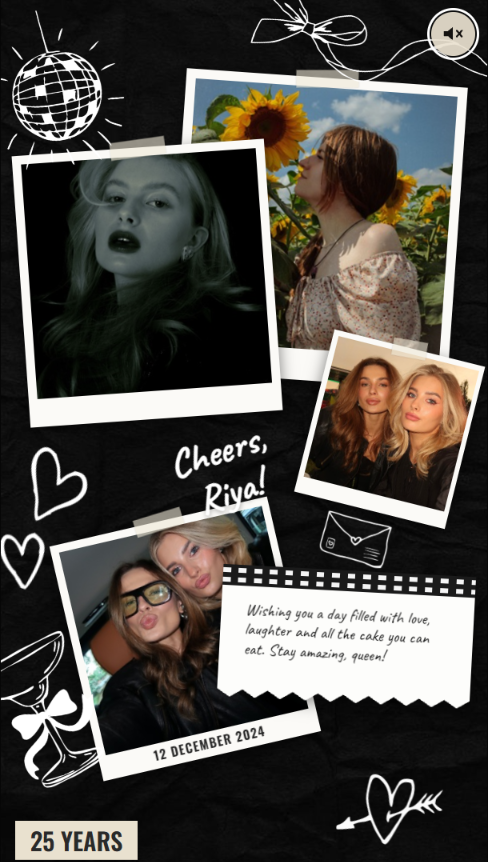
₹79₹89Birthday Cheers
Black crumpled paper collage with torn photos, cut-out letters and doodle stickers.
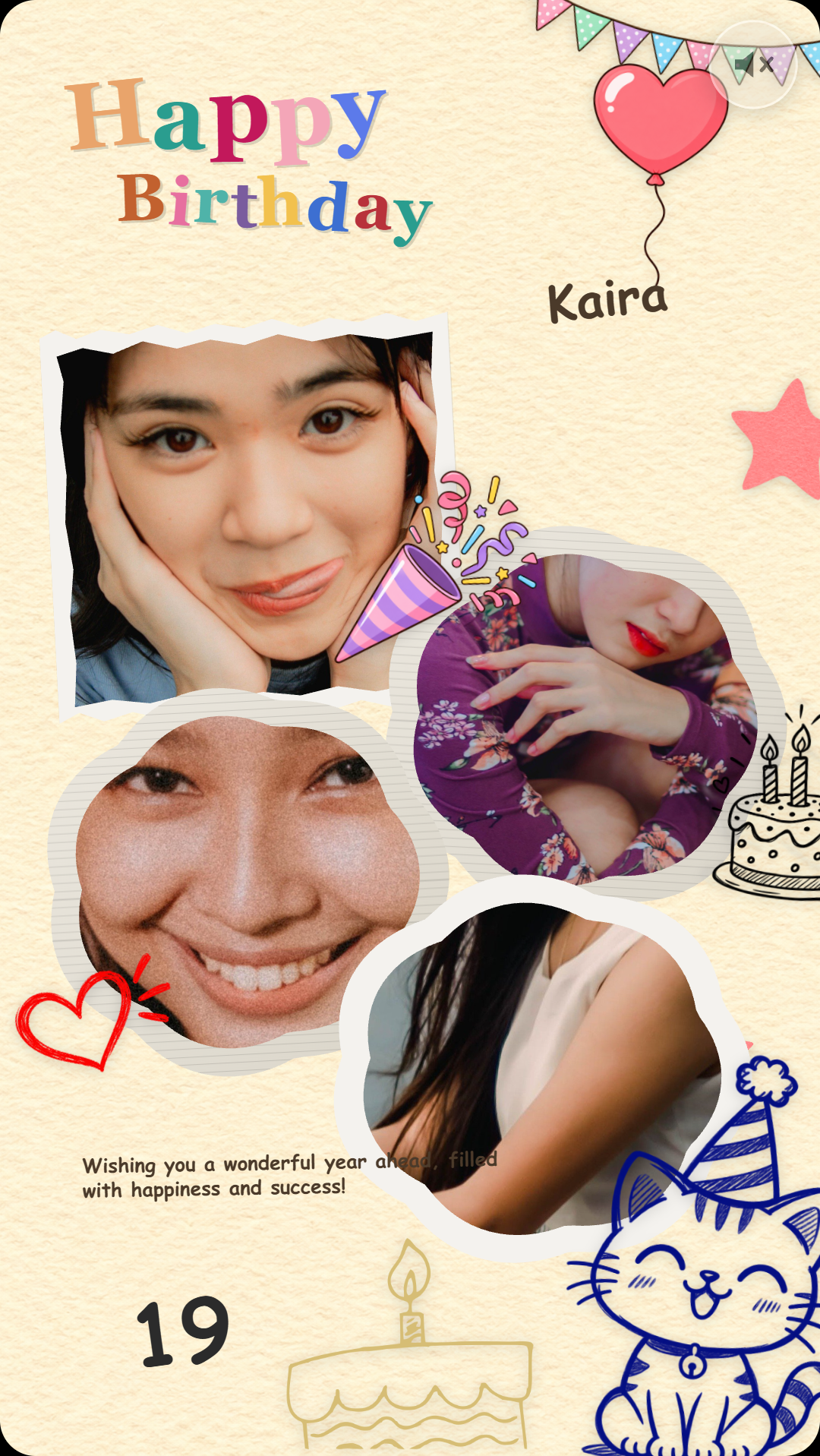
₹89Cream Collage
Cream paper collage with cut-out letters, cloud-cut photos and doodle stickers.
 ₹79
 ₹79
 ₹79
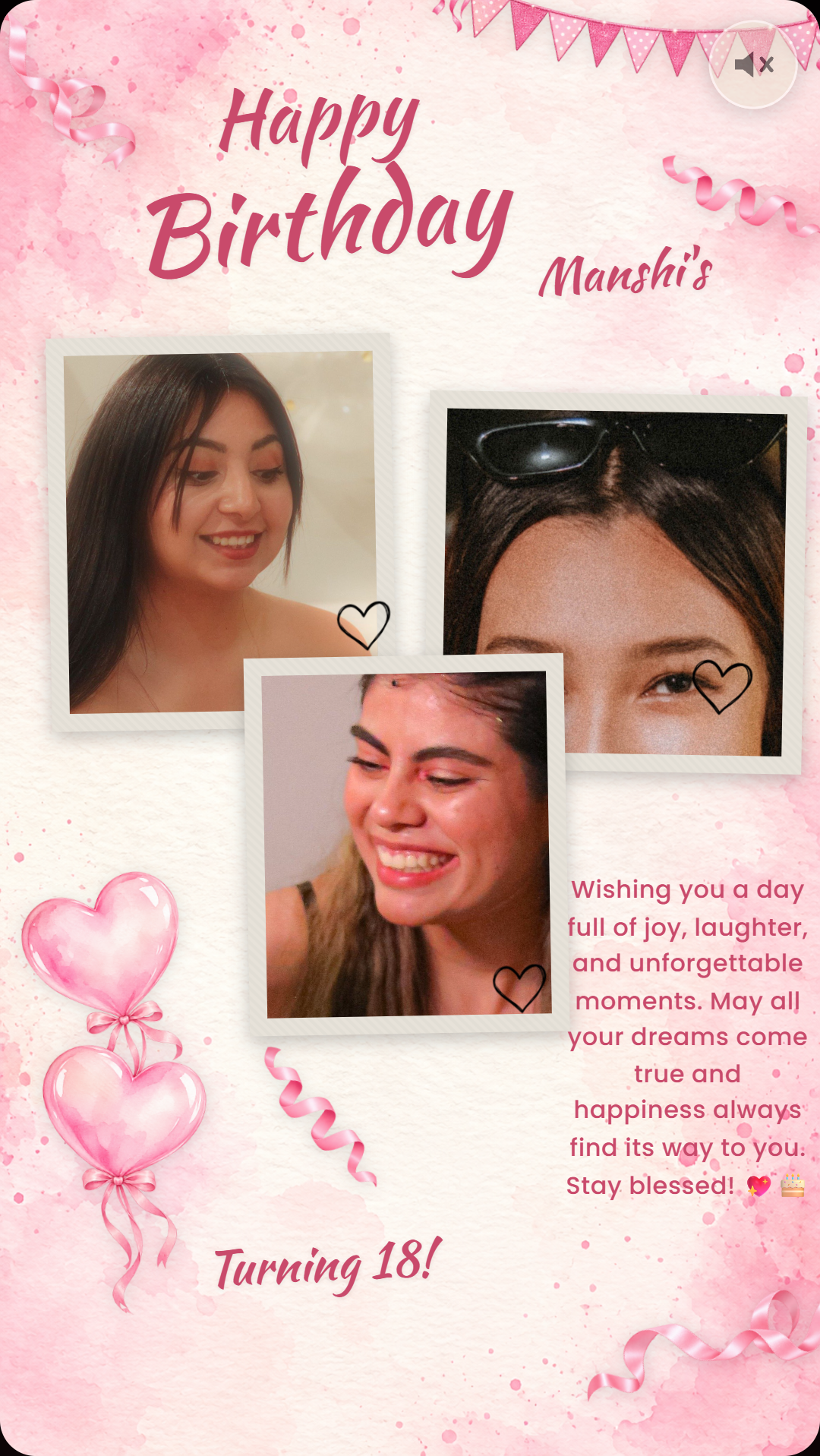
Pink Birthday
Pink watercolour card with heart balloons, bunting, ribbons and polaroid photos.
 ₹89
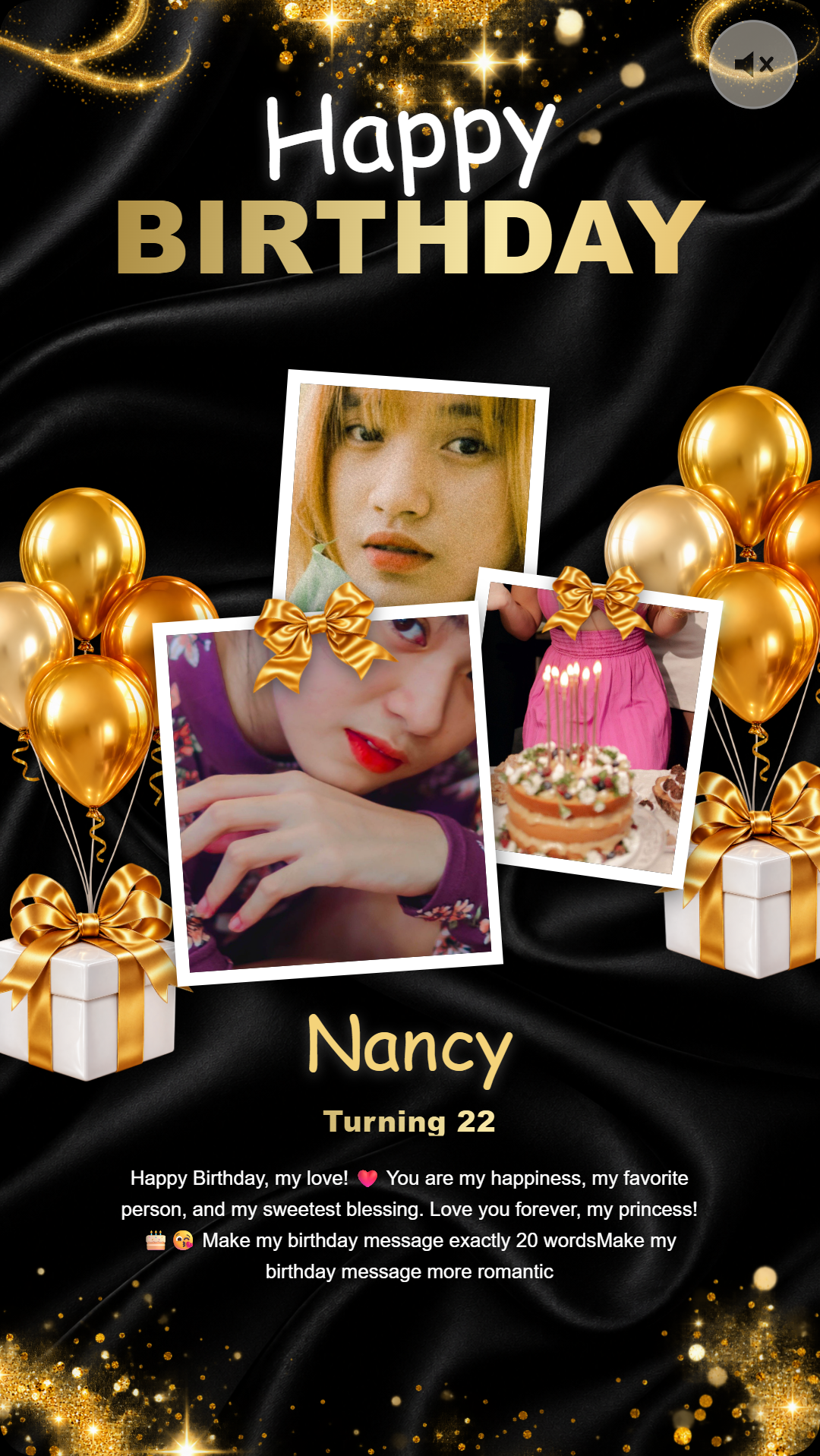
Night Gold
Black silk night card with gold balloons, gift boxes, shimmering BIRTHDAY text and polaroid photos.
 ₹79
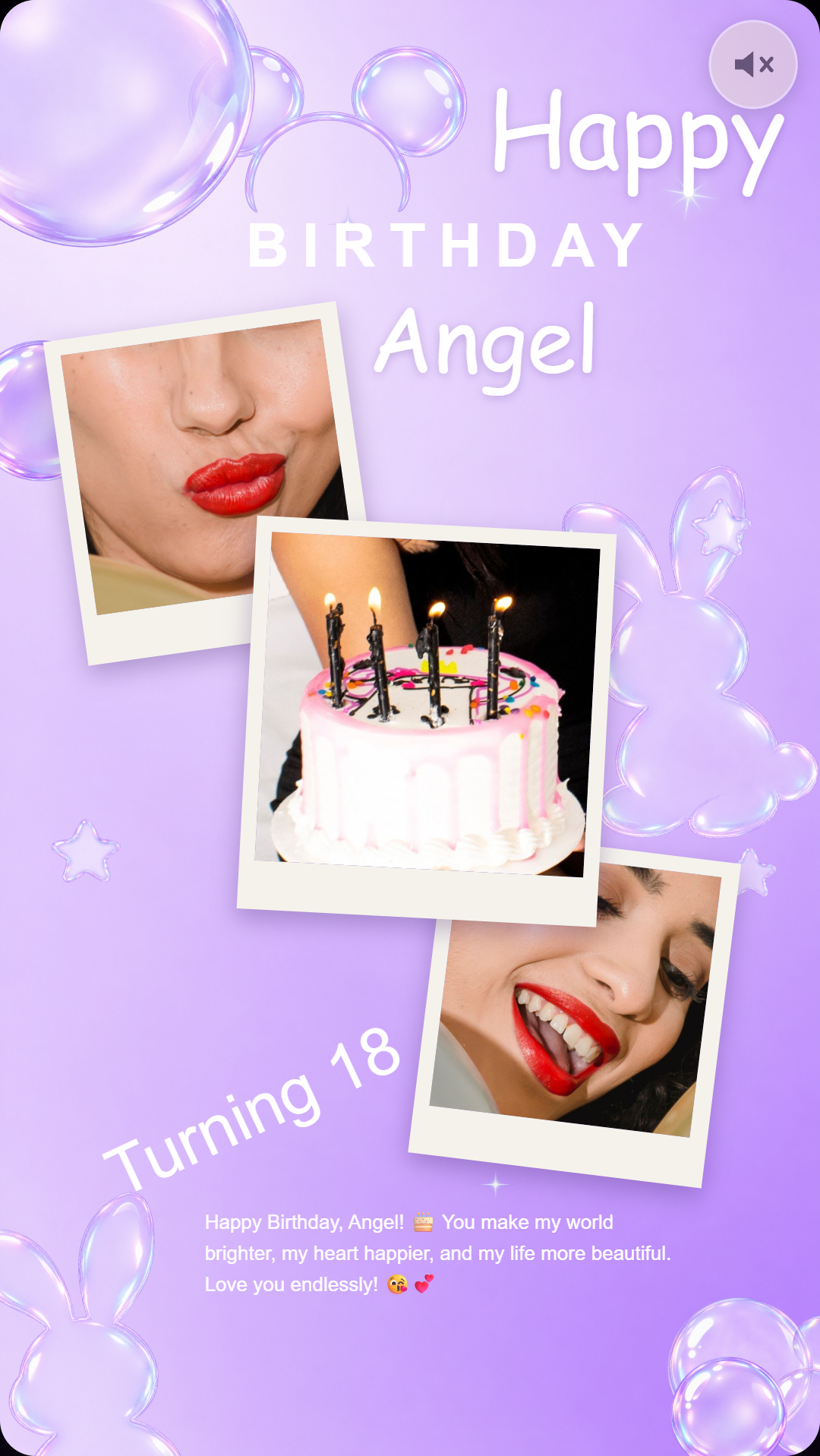
Lavender Bubble
Lavender bubble card with glossy bubbles, sparkles and polaroid photos in motion.
 ₹69
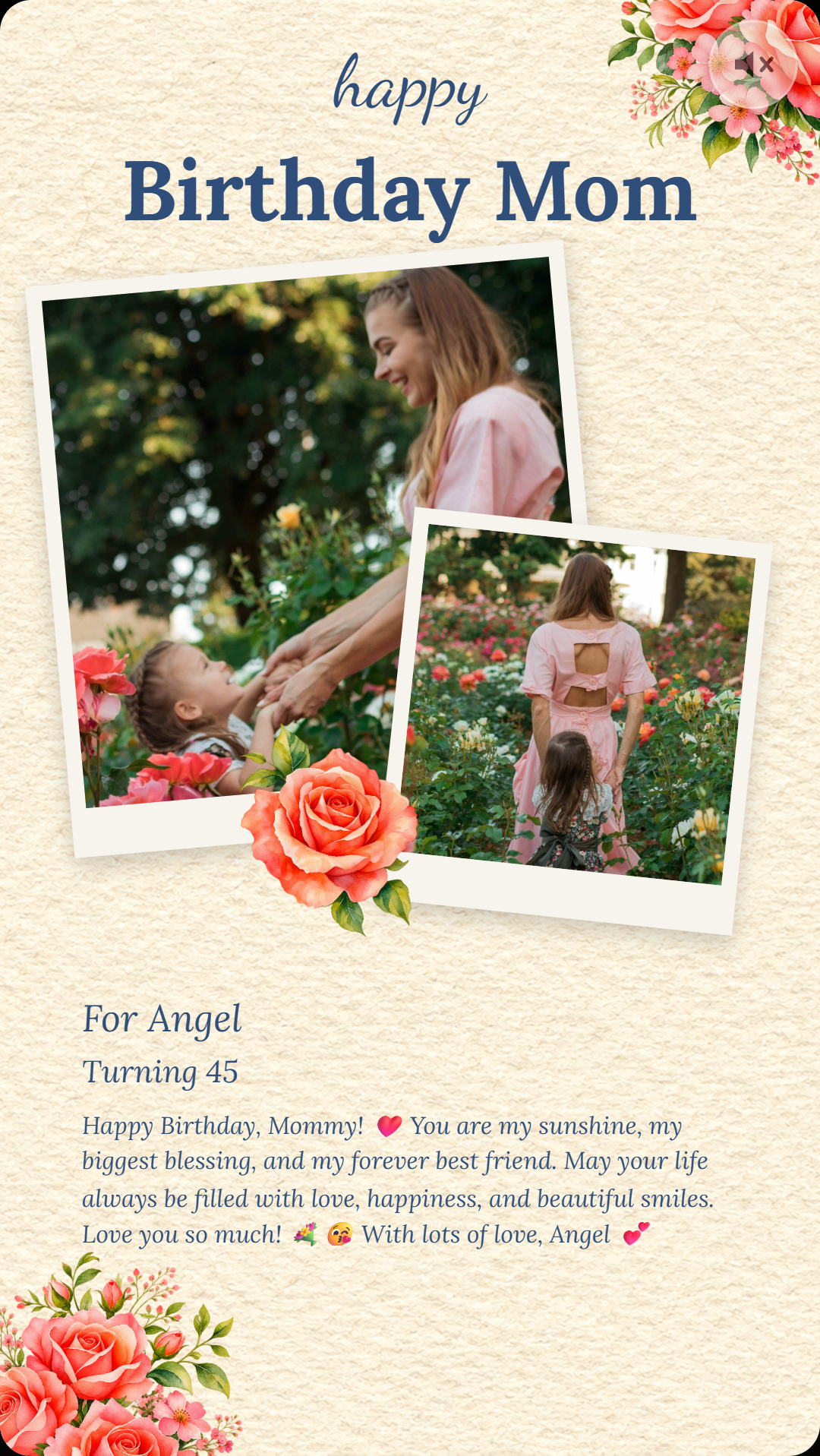
Happy Birthday Mom
Soft cream card with heart pattern, polaroid photos, flowers and a heartfelt note for mom.
 ₹79
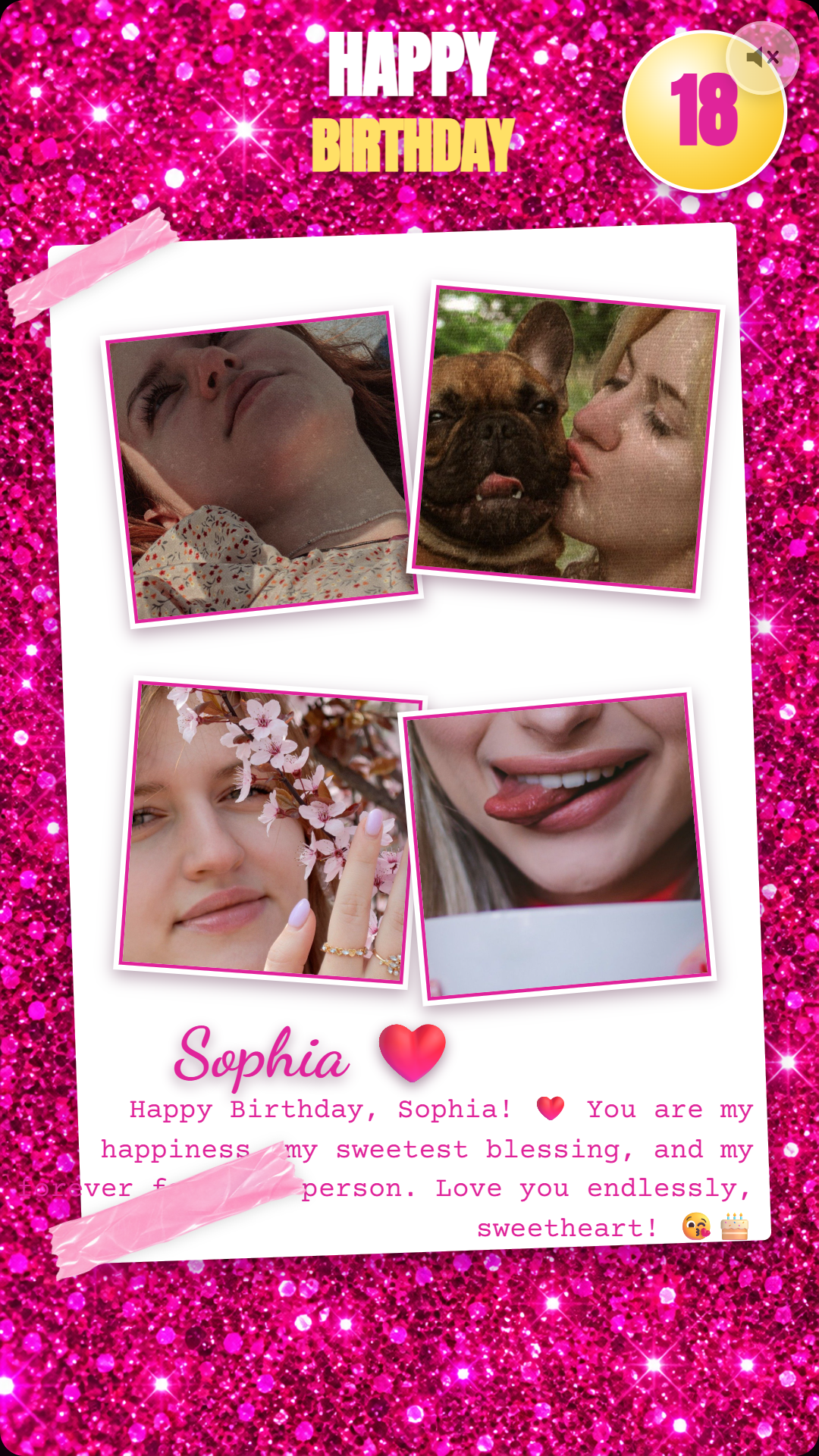
Glitter Pink
Sparkling pink glitter background with a white polaroid frame and four photos.
 ₹79
 ₹69
Explore by occasion
Find a birthday wish for everyone
Choose who you are celebrating, add your photos and message, then share the card as a link or post it on Instagram, Facebook and more.
For Girlfriend
Romantic wishes with your photos and a sweet message.
Make her day special with a romantic birthday card that features your photos, your love story and a message from the heart. Share the link or post it on Instagram and Facebook.
- Add your couple photos
- Romantic message and animation
- Share link or download

For Boyfriend
Heartfelt and playful cards for the man in your life.
Surprise your boyfriend with a personalised birthday card that mixes fun and love. Add your best pictures, write a cute note and send it as a link or an Instagram story.
- Your photos, your words
- Fun and loving styles
- Post on Instagram or Facebook

For Husband
Warm wishes that celebrate years together.
Celebrate the years you have spent together with a warm birthday card for your husband. Add family photos and a personal message, then share it on WhatsApp, Facebook or Instagram.
- Family and couple photos
- Warm, meaningful message
- Easy link sharing
For Wife
Elegant wishes with your favourite memories.
Tell your wife how much she means to you with an elegant birthday card full of your favourite memories. Share the personal link or download the card and post it on social media.
- Elegant card styles
- Your favourite memories
- Download and post anywhere

For Best Friend
Fun, bright cards for your partner in everything.
Turn your friendship moments into a bright, funny birthday card for your best friend. Add group photos, inside jokes and a message, then share it with one link.
- Funny, colourful designs
- Add group photos
- Share on any app
For Brother
Playful wishes with shared childhood memories.
Wish your brother with a playful card that brings back childhood memories. Add photos, a funny line or a heartfelt thank you, and send it as a link or post it on Instagram.
- Childhood photo memories
- Playful or heartfelt tone
- Instagram and Facebook ready
For Sister
Cheerful cards for your favourite person to share with.
Make your sister smile with a cheerful birthday card that shows your bond. Upload your photos, write a sweet message and share it on WhatsApp, Instagram or Facebook.
- Cheerful, pretty designs
- Photos of you together
- One link for everyone
For Mom
Gentle, grateful wishes that make mom smile.
Say thank you to mom with a gentle, grateful birthday card. Add family photos and your own words, then send the link or download the card to post on Facebook.
- Gentle, grateful styles
- Family photos
- Easy for mom to open
For Dad
Simple, heartfelt wishes that say thank you.
Show dad how much he is appreciated with a simple, heartfelt birthday card. Add your photos and a thank you message, then share the link on any social media app.
- Simple, clean designs
- Heartfelt thank you note
- Share on WhatsApp or Facebook
For Kids
Colourful, happy cards for little birthday stars.
Create a colourful, happy birthday card for your little one. Add cute photos and a sweet message, then share it with relatives or post it as an Instagram or Facebook memory.
- Bright, playful designs
- Cute photo collages
- Share with all relatives
Share your birthday wish on any social media
Every card comes with a personal share link, and you can also download it. Send the link to your loved one, post the card on Instagram or Facebook, or add it to your WhatsApp status. One design, many ways to say happy birthday.
Share link
Send one personal link to anyone.
Instagram
Post it as a story, post or reel.
Facebook
Share it on your timeline or in a chat.
WhatsApp
Send it in a chat or set it as status.
X (Twitter)
Tweet the link with your wish.
Download
Save the card and upload it anywhere.
Birthday card guide
Send a Birthday Wish That People Remember: Animated Cards With Photos, Music and a Share Link

Why we built this website
A birthday message is easy to send and just as easy to forget. A card that opens like a small animated website, with your photos, your words and a song, is something people remember. That is the idea behind our birthday wish cards.
We built this website to make birthday wishes and invitations feel personal without the effort of designing anything. Most people want to send something better than a plain text, but few have time to learn design tools. So we prepared the designs in advance and left only the personal part to you. Add your details once and you get two things: a link to your animated card and a post-ready JPEG image. Use the link in a chat and the image for a story, so your wish works in both places.
What you can add to your birthday card
Every design lets you personalise the card with the details that matter. Choose photos that mean something, such as a recent selfie, an old group picture, a trip or a funny moment. Short messages usually work best, because they read well on a phone screen.
- The name of the birthday person
- Their age
- Your own wishing message
- Up to 4 photos
- A song that plays when the card opens
How the finished card looks
The finished card looks and feels like a website. Text slides in, photos appear with smooth motion and the whole page is built for mobile screens. The person who receives it does not need to install anything. They tap the link and watch.
A premium design gives the birthday person a royal feel. It can also excite your girlfriend, boyfriend, partner, friend or parent in a way a normal message never could.

How our designs are made
Our designs are handcrafted. The artwork is prepared in Photoshop and CorelDRAW, then coded so that every element is animated and editable. Because the designs are coded, you can change the name, age, message, photos and song without opening any design software. The result is a polished card that still feels personal.
Link validity, editing and privacy
Every card link has a validity period. After that time the link expires, so it is best to share it close to the birthday.
You can edit your card and save it again as many times as you want before you pay. After payment the card is final, so check the name, spelling and photos first. We keep your data safe.
Who is it for?
Use it for a girlfriend, boyfriend, husband, wife, best friend, brother, sister, mom, dad or kids. It also works as an invitation. Add the date and details to your message and send the link to your guests.
How to make your card in three steps
- Choose a design and open the live demo to see how it looks.
- Add the name, age, wishing message, up to 4 photos and a song, then check the preview.
- Edit if needed, complete payment, then share your link or download the card.
A birthday only comes once a year, and a personal card shows that you took a moment to make it special. Pick a design, add your photos and send a wish that feels as good as it looks.
Our community
What our community says
Words from people who sent birthday wishes with their own photos, names and messages.
Birthday invitation banana simple tha aur photos ke saath link share karna kaafi convenient laga.
Beautiful birthday design mila, family ke saath invitation share karna bahut easy raha.
Animated birthday page achha laga, photos aur wishing message add karne ka option useful hai.
Ek hi details se birthday invitation aur social media post banana kaafi helpful laga.
Birthday wishes ke liye premium design mila, link WhatsApp par easily share ho gaya.
Photos aur song ke saath birthday page personalize karna kaafi interesting experience laga.
Invitation link share karna easy tha aur birthday card download bhi simple raha.
Personalized birthday wishes page ka design beautiful tha aur mobile par achha dikha.
Birthday details edit karke invitation dobara save karna convenient laga.
Birthday invitation aur wishes ek saath ban gaye, design share karna bhi easy tha.
FAQ
Frequently asked questions
Everything you need to know before you create your birthday wish card.
What can I add to my birthday card on Bdayy.com?
You can add the birthday person's name, their age, a wishing message and up to 4 photos. You can also add a song. After you finish, you get a birthday wish link with your photos that you can send to anyone.
Can I share the birthday wish link with photos?
Yes. Every card comes with a personal link that opens your design with all your photos, name, age and message. You can send this link to the birthday person, friends and family in a chat, a group or a post.
Is there a limit on how many times I can share the link?
No. You can share the link as many times as you like and with as many people as you want. Each person who receives it can open the same card on their own phone or computer.
Will the link open on WhatsApp, Instagram and Facebook?
Yes. The link works on all major platforms, including WhatsApp, Instagram, Facebook and X. It opens in the browser, so anyone with the link can view the card without installing anything.
Can I download my birthday card design?
Yes. Tap the download button to save your design as an image. You can then upload it as a story or status on WhatsApp, Instagram, Facebook or X, along with sharing the link.
How long does the birthday card link stay active?
Each link stays active for a limited validity period and expires after that. Please check the validity shown for your plan on the checkout page before you pay, and share the card before it ends.
Can I edit my card after creating it?
Yes, you can edit the photos, name, age and message and save the card again as many times as you need. Editing is available before payment. Once you have paid, the card can no longer be edited.
Can I preview the card before I pay?
Yes. You can fill in your details and see how the finished card looks before you pay. Use this step to check your photos, spelling and message, because changes are not possible after payment.
Is my data safe on Bdayy.com?
Yes. We take care to keep your photos, name and message safe. You can read more about how your details are handled in our privacy policy, which is linked in the footer of the website.
Who can open my birthday card link?
Anyone you send the link to can open and view your card. For that reason, share it only with the people you want to see your photos and message, such as the birthday person, family and close friends.
Can I add a song to my birthday card?
Yes. You can add a song to your card, so the birthday person hears music while they watch the photos and read your wish. It makes the surprise feel more special and more personal.
Will the card look like a website?
Yes. When someone opens your link, the card plays like a small animated website in the browser, with moving elements, your photos and your message. It looks the same on mobile and on a computer.
How are the birthday card designs made?
Our designs are handcrafted using tools like Photoshop and CorelDRAW, and then coded for the web. You can change the photos, name, age and message in each design to make it your own.
What do I get after adding my details?
Once your details are added, you get two things: a shareable link of your animated card and a share post image that you can download. Use the link in chats and the image for stories and status.
Why was Bdayy.com created?
Bdayy.com was created to make it simple to send birthday wishes and invitations that feel personal. You can surprise a girlfriend, friend, parent or sibling with a premium-looking card and give them a royal feeling.